
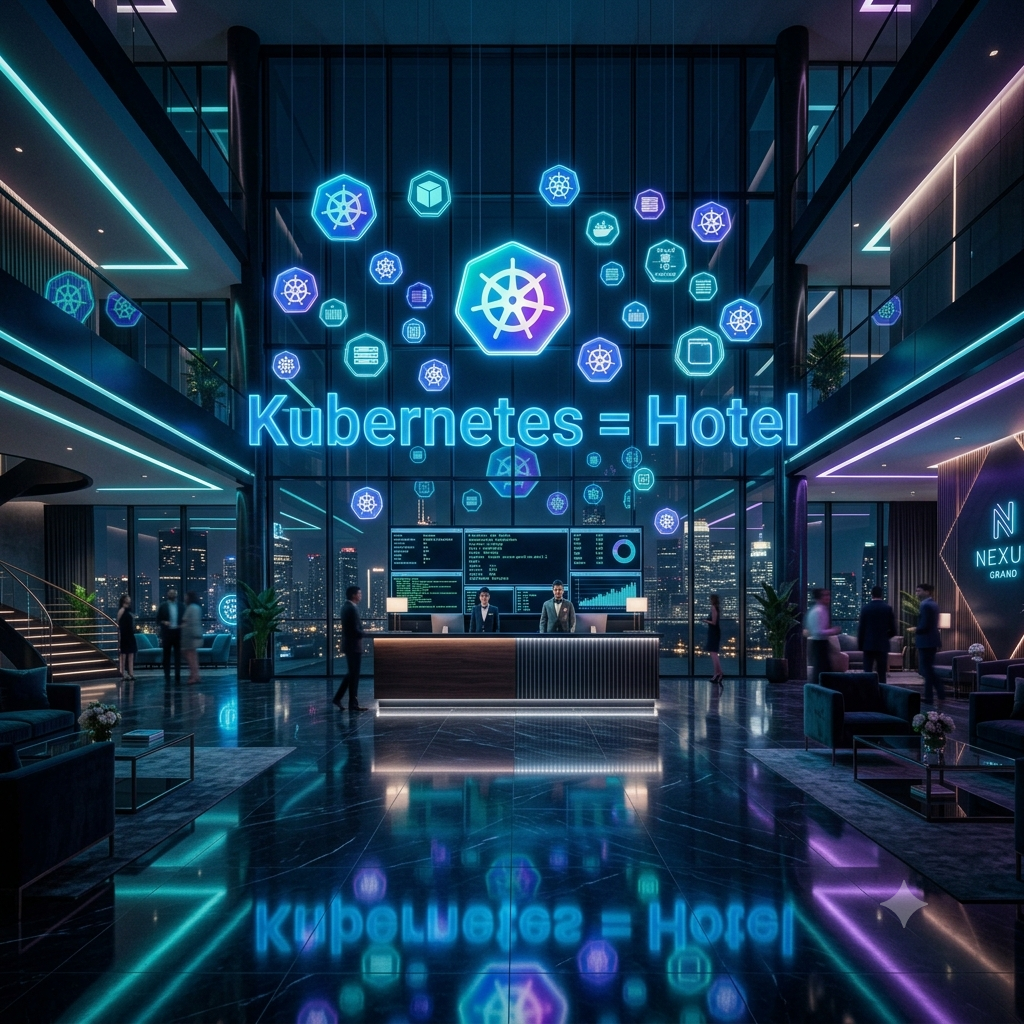
If Kubernetes Was a Hotel — The Simplest Explanation You'll Ever Read
I've been working with Kubernetes for years.
And the number one thing I hear from beginners is this:
"I read the docs. I watched the tutorials. I still don't get it."
So today, I'm not going to use a single piece of jargon.
No YAML. No architecture diagrams. No "declarative state management."
Instead, I'm going to take you to a hotel.
By the end of this post, you'll understand Kubernetes better than most people who've been using it for months. I promise.
Let's check in. 🏨
🏨 The Hotel = The Cluster
Imagine a massive, luxury hotel.
This hotel is your Kubernetes Cluster.
Everything happens inside this hotel. The guests, the rooms, the staff, the rules — all of it lives inside the cluster. When someone says "we're running this on Kubernetes," they mean everything is inside this hotel.
Simple, right?
Now let's walk through the hotel floor by floor.
🏢 The Floors = Nodes
Your hotel has multiple floors.
Each floor is a Node — a physical or virtual machine that actually runs your applications.
Some floors are bigger (more CPU, more RAM). Some are smaller. But they all belong to the same hotel (cluster).
Hotel (Cluster)
├── Floor 1 (Node) — zeta-core
├── Floor 2 (Node) — zeta-lite
├── Floor 3 (Node) — shark-server
└── Floor 4 (Node) — zeta-macro
When you add a new server to your Kubernetes cluster, you're basically adding a new floor to your hotel.
🛏️ The Rooms = Pods
On each floor, there are rooms.
Each room is a Pod — the smallest deployable unit in Kubernetes.
Every guest (your application) needs a room to stay in. No room = no stay.
Here's the key thing beginners miss:
Pods are temporary. They come and go.
Just like hotel rooms — guests check in, guests check out. The room is cleaned and given to the next guest.
If a pod crashes, Kubernetes creates a new one. Just like a hotel cleans a room and makes it available again.
👤 The Guests = Containers
Inside each room, there are guests.
The guests are your Containers — the actual running applications.
Most of the time, one room has one guest (one container per pod). But sometimes a room has two guests — like a couple sharing a room. That's a pod with multiple containers (called a sidecar pattern).
Room (Pod)
└── Guest 1 (Container) — your app
└── Guest 2 (Container) — logging sidecar
The guests share the room's bathroom and TV (networking and storage). They can talk to each other easily because they live in the same room.
📋 The Booking System = Deployment
Now here's where it gets interesting.
How does the hotel make sure there are always enough rooms available?
That's the Deployment.
You tell the booking system:
"I always want 3 rooms occupied for my VIP guest."
The booking system (Deployment) makes sure that rule is always followed. If a guest checks out (pod crashes), the system immediately books a new room (creates a new pod).
# Translation of "always keep 3 rooms occupied"
replicas: 3
This is called desired state. You declare what you want, and Kubernetes makes it happen. Always.
🔢 The Room Count Rule = ReplicaSet
The booking system uses a ReplicaSet to enforce the room count.
Think of it as the floor manager's rule book:
"Floor 2 must always have exactly 3 rooms with guests."
If one room becomes empty (pod dies), the floor manager immediately calls housekeeping to prepare a new room and assign a new guest.
You rarely interact with ReplicaSets directly — the Deployment manages them for you. Just like you don't talk to the floor manager — you talk to the booking system.
📞 The Reception Desk = Service
Here's a problem.
Pods are temporary. They crash, restart, get new IP addresses. How does anyone find them?
Imagine if hotel guests changed rooms every day. How would you send them room service?
You'd call the reception desk.
The reception desk is your Service in Kubernetes.
It doesn't matter which room the guest is in today. You call reception, they figure out the room number, and your room service gets delivered.
You → Reception (Service) → Finds the right Room (Pod) → Delivers request
The Service has a stable address. The pods behind it can change. Nobody outside cares.
🚪 The Hotel Entrance = Ingress
The reception desk is inside the hotel. But how do guests get IN to the hotel in the first place?
Through the main entrance.
The main entrance is your Ingress.
It controls who comes in, where they go, and how they get there.
Internet (Outside world)
     ↓
Main Entrance (Ingress)
     ↓
     ├── rootbysatya.in → Portfolio reception
     ├── blog.rootbysatya.in → Ghost reception
     └── grafana.rootbysatya.in → Monitoring reception
One entrance, multiple destinations. The Ingress routes traffic to the right service based on the domain name.
In my homelab, Traefik is the main entrance guard — it reads the Ingress rules and routes traffic accordingly.
🏩 The Hotel Wings = Namespaces
Big hotels have different wings.
Business wing. Family wing. Luxury wing.
Each wing has its own rooms, its own staff, its own rules.
These wings are Namespaces in Kubernetes.
Hotel (Cluster)
├── Business Wing (namespace: argocd)
├── Monitoring Wing (namespace: monitoring)
├── Blog Wing (namespace: ghost)
└── Portfolio Wing (namespace: portfolio)
Namespaces keep things separate. The monitoring team can't accidentally mess with the blog. The blog can't use resources meant for ArgoCD.
It's organization at scale.
📋 The Hotel Rules Board = ConfigMap
Every hotel has a rules board in the lobby.
✓ Checkout time: 11 AM
✓ WiFi password: hotel123
✓ Pool hours: 6 AM - 10 PM
✓ Restaurant: Floor 3
These are non-sensitive configurations that everyone can see.
In Kubernetes, this is a ConfigMap.
Your application reads these values at startup — database URLs, feature flags, environment settings. If the rules change, you update the ConfigMap and the apps pick up the new rules.
🔐 The Hotel Safe = Secret
But some things shouldn't be on the rules board.
The manager's master key. The safe combination. The owner's private suite code.
These go in the hotel safe.
In Kubernetes, sensitive information lives in a Secret — database passwords, API keys, TLS certificates.
In my homelab, my Resend SMTP password is stored as a Kubernetes Secret. It's not in the YAML file. It's not in GitHub. It's safely stored in the cluster's encrypted secret store.
kubectl create secret generic ghost-mail-secret \
  --from-literal=MAIL_PASS="re_super_secret_key"
🧳 The Luggage Storage = PersistentVolume
Here's the problem with temporary rooms (pods).
When a guest checks out, their luggage disappears too.
But what if the guest needs to keep their luggage even after checking out?
That's the PersistentVolume — the hotel's luggage storage room.
Your data survives even when the pod dies.
Ghost blog data → stored in PersistentVolume
Pod crashes → new pod created
New pod → connects to same storage → data still there ✅
Without PersistentVolumes, your database would lose all data every time the pod restarts. Not ideal.
📈 Hiring More Staff During Peak Season = HPA
It's New Year's Eve. The hotel is getting thousands of guests.
The manager doesn't manually hire staff for each guest. Instead there's a rule:
"If occupancy goes above 80%, hire more staff automatically."
This is the Horizontal Pod Autoscaler (HPA).
When your application gets too much traffic, HPA automatically creates more pods. When traffic drops, it scales back down.
Normal traffic → 2 pods running
Traffic spike  → HPA adds more pods automatically
Traffic drops  → HPA removes extra pods
Cloud cost savings + automatic scaling. No human intervention needed.
📻 The Manager's Walkie Talkie = kubectl
How does the hotel manager communicate with everyone?
A walkie talkie.
kubectl is your walkie talkie to the entire hotel.
kubectl get pods          # Which rooms are occupied?
kubectl describe pod xyz  # Tell me everything about room xyz
kubectl logs pod xyz      # What's happening inside room xyz?
kubectl exec -it pod xyz  # Let me go inside room xyz
kubectl delete pod xyz    # Evict the guest in room xyz
Every command you send via kubectl goes to the control plane and gets executed. It's your primary interface with the entire cluster.
📚 The Central Booking Register = etcd
The hotel has one master register.
Every booking, every room assignment, every rule — it's all written here.
This is etcd — Kubernetes' brain.
It stores the entire state of the cluster. Which pods are running, which nodes exist, what deployments look like.
⚠️ This is why etcd backup matters so much.
I learned this the hard way. On my homelab, I lost etcd quorum when two nodes went down simultaneously. The entire cluster went down. No bookings, no rooms, no guests — the hotel was paralyzed.
Always backup etcd. Always.
# Take an etcd snapshot
k3s etcd-snapshot save
🧠 The Management Office = Control Plane
The hotel has a management office.
Inside, there are different managers handling different things:
| Manager | Kubernetes Component | Job |
|---|---|---|
| General Manager | API Server | Takes all requests, is the brain |
| Room Assignment Manager | Scheduler | Decides which floor (node) each guest (pod) goes to |
| Rule Enforcement Manager | Controller Manager | Makes sure desired state matches actual state |
| The Master Register | etcd | Stores everything |
Together, these form the Control Plane — the hotel management office.
In my homelab, zeta-core is the control plane node. Everything goes through it.
👔 The Floor Manager = kubelet
On each floor, there's a floor manager.
The floor manager listens to instructions from the management office and makes sure the rooms on their floor are properly maintained.
This is kubelet — it runs on every node.
Management Office (Control Plane) → Instruction → Floor Manager (kubelet)
"Room 3B should have Guest X"    →    kubelet   → Creates the pod
If a room has a problem (pod crashes), the floor manager reports back to management immediately.
🎯 Putting It All Together
Let's trace what happens when you deploy your first application:
You run: kubectl apply -f deployment.yaml
         ↓
API Server receives the request (General Manager gets a memo)
         ↓
etcd stores the desired state (Written in master register)
         ↓
Scheduler picks a node (Room Assignment Manager picks a floor)
         ↓
kubelet on that node creates the pod (Floor manager prepares the room)
         ↓
Container starts running (Guest checks in)
         ↓
Service routes traffic to the pod (Reception connects calls to the room)
         ↓
Ingress exposes it to the internet (Main entrance opens for visitors)
         ↓
Your app is live! 🎉
🗺️ The Complete Hotel Map
🏨 KUBERNETES HOTEL
│
├── 🏢 Floor 1 (Node: zeta-core) ← Control Plane
│   ├── 🧠 Management Office (Control Plane)
│   │   ├── API Server
│   │   ├── Scheduler
│   │   ├── Controller Manager
│   │   └── etcd (Master Register)
│   └── 🛏️ Rooms (Pods)
│
├── 🏢 Floor 2 (Node: zeta-lite)
│   ├── 👔 Floor Manager (kubelet)
│   └── 🛏️ Rooms (Pods) — Ghost blog, Traefik
│
├── 🏢 Floor 3 (Node: shark-server)
│   ├── 👔 Floor Manager (kubelet)
│   └── 🛏️ Rooms (Pods) — cert-manager, monitoring
│
├── 🚪 Main Entrance (Ingress — Traefik)
│   ├── blog.rootbysatya.in
│   ├── grafana.rootbysatya.in
│   └── argocd.rootbysatya.in
│
├── 📞 Reception Desks (Services)
│
├── 🏩 Wings (Namespaces)
│   ├── ghost
│   ├── monitoring
│   └── argocd
│
├── 📋 Rules Board (ConfigMap)
├── 🔐 Hotel Safe (Secret)
└── 🧳 Luggage Storage (PersistentVolume)
🎓 Quick Reference — Hotel to Kubernetes
| Hotel | Kubernetes | What it does |
|---|---|---|
| Hotel building | Cluster | Everything lives here |
| Floor | Node | Physical/virtual machine |
| Room | Pod | Smallest deployable unit |
| Guest | Container | The actual application |
| Booking system | Deployment | Manages pods lifecycle |
| Room count rule | ReplicaSet | Maintains desired pod count |
| Reception desk | Service | Stable network endpoint |
| Main entrance | Ingress | Routes external traffic |
| Hotel wing | Namespace | Logical isolation |
| Rules board | ConfigMap | Non-sensitive configuration |
| Hotel safe | Secret | Sensitive data |
| Luggage storage | PersistentVolume | Data that survives pod restarts |
| Peak season hiring | HPA | Auto-scales pods |
| Walkie talkie | kubectl | CLI to talk to cluster |
| Master register | etcd | Cluster state database |
| Management office | Control Plane | Brain of the cluster |
| Floor manager | kubelet | Node agent |
🚀 What's Next?
Now that you understand the hotel, here's your learning path:
Week 1: Set up a local cluster
# Install k3s on your machine
curl -sfL https://get.k3s.io | sh -
Week 2: Deploy your first app
kubectl create deployment nginx --image=nginx
kubectl expose deployment nginx --port=80
Week 3: Break things on purpose
- Delete pods and watch them recreate
- Kill a node and watch pods reschedule
- That's how you truly learn Kubernetes
Week 4: Build a homelab
- Raspberry Pi + k3s = perfect learning environment
- I run a 5-node cluster at home — it's the best investment I've made
💬 Final Thought
Kubernetes felt overwhelming to me too at the start.
But once I stopped trying to memorize YAML and started thinking in analogies — it clicked.
The hotel is just the beginning. Once you see Kubernetes as a hotel, every new concept becomes easier to understand.
Service Mesh? That's the hotel's internal communication system — like a pneumatic tube network between floors.
Helm Charts? That's the hotel's pre-built room packages — "Business Suite" comes with desk, laptop stand, and coffee machine pre-configured.
GitOps? That's when the hotel's rules are stored in a book and any changes to the book automatically update the hotel.
The analogies never end. And that's what makes Kubernetes so fun to learn.
If this helped you, share it with someone who's struggling with Kubernetes. And drop a comment below — I'd love to know which analogy clicked the most for you.
Follow me for more real-world DevOps content → blog.rootbysatya.in
Member discussion